

L E A R N

C A D / C A M
Stop CLICKING
STOP SCROLLING
Start making
01 Follow the process
Clear, step-by-step teaching.
02 Understand the why.
Build skills, not just a model.
03 Make it your own.
Take your ideas further.
FIND YOUR STARTING POINT
What will you
make next?
ONE INCREDIBLE COMMUNITY
120,000 subscribers
Learn It! has grown into a community of more than 120,000 subscribers learning, creating and sharing their passion for CAD, CAM and making things.
Thank you for being part of the journey. Whether you’re opening Fusion for the first time or taking on your next big project, there’s always something new to learn.
Keep learning with Learn It!

FREE TOOLS FOR YOUR NEXT PROJECT
A handy reference.
Your next step forward.
Looking up an unfamiliar term? Choosing a drill? Checking a thread measurement? Our free reference tools help you work through the details and keep your project moving.
Free to use. No paid membership required.
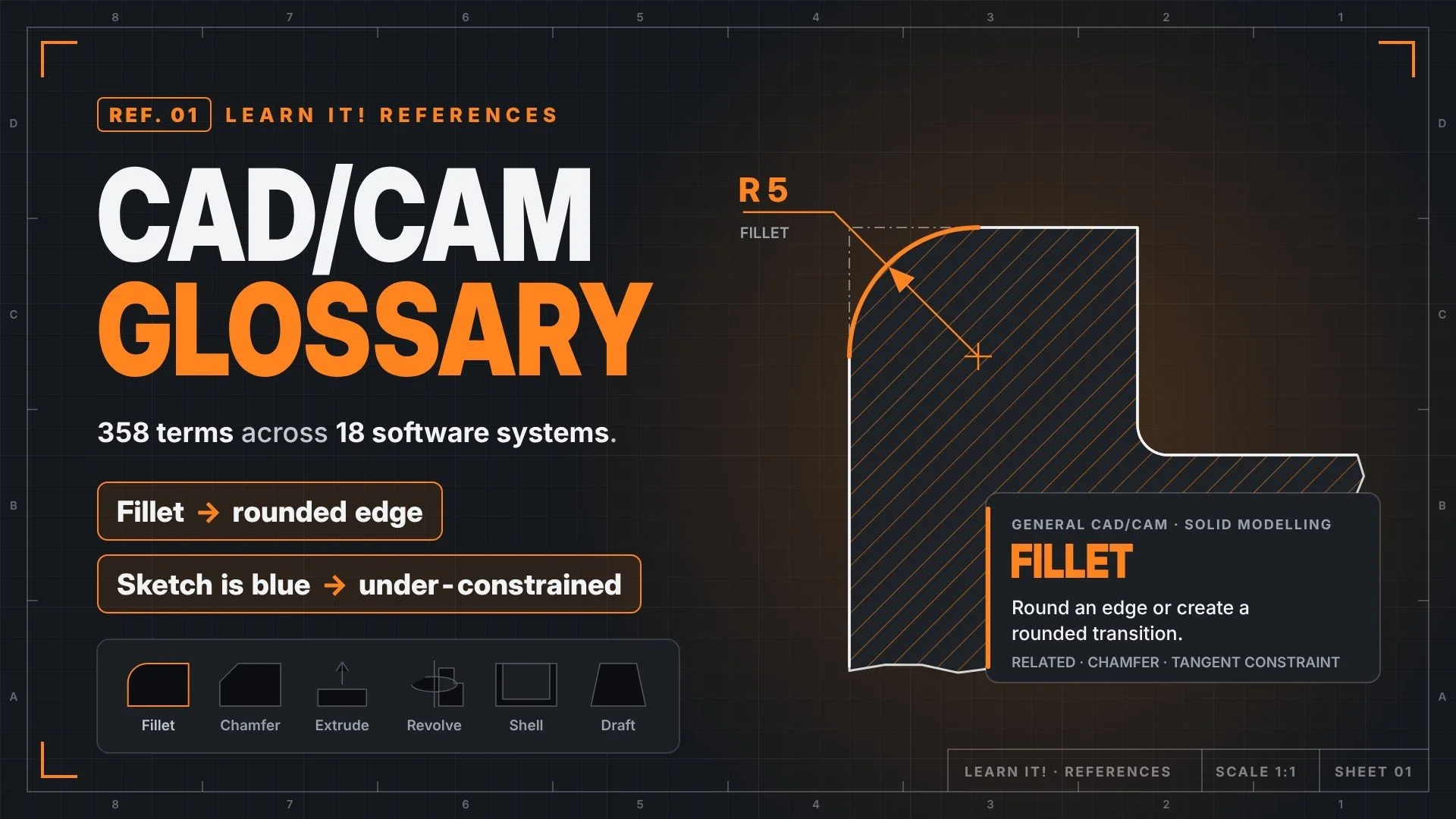
CAD/CAM Glossary
Make sense of technical terms with clear explanations, practical examples and connections to related ideas.
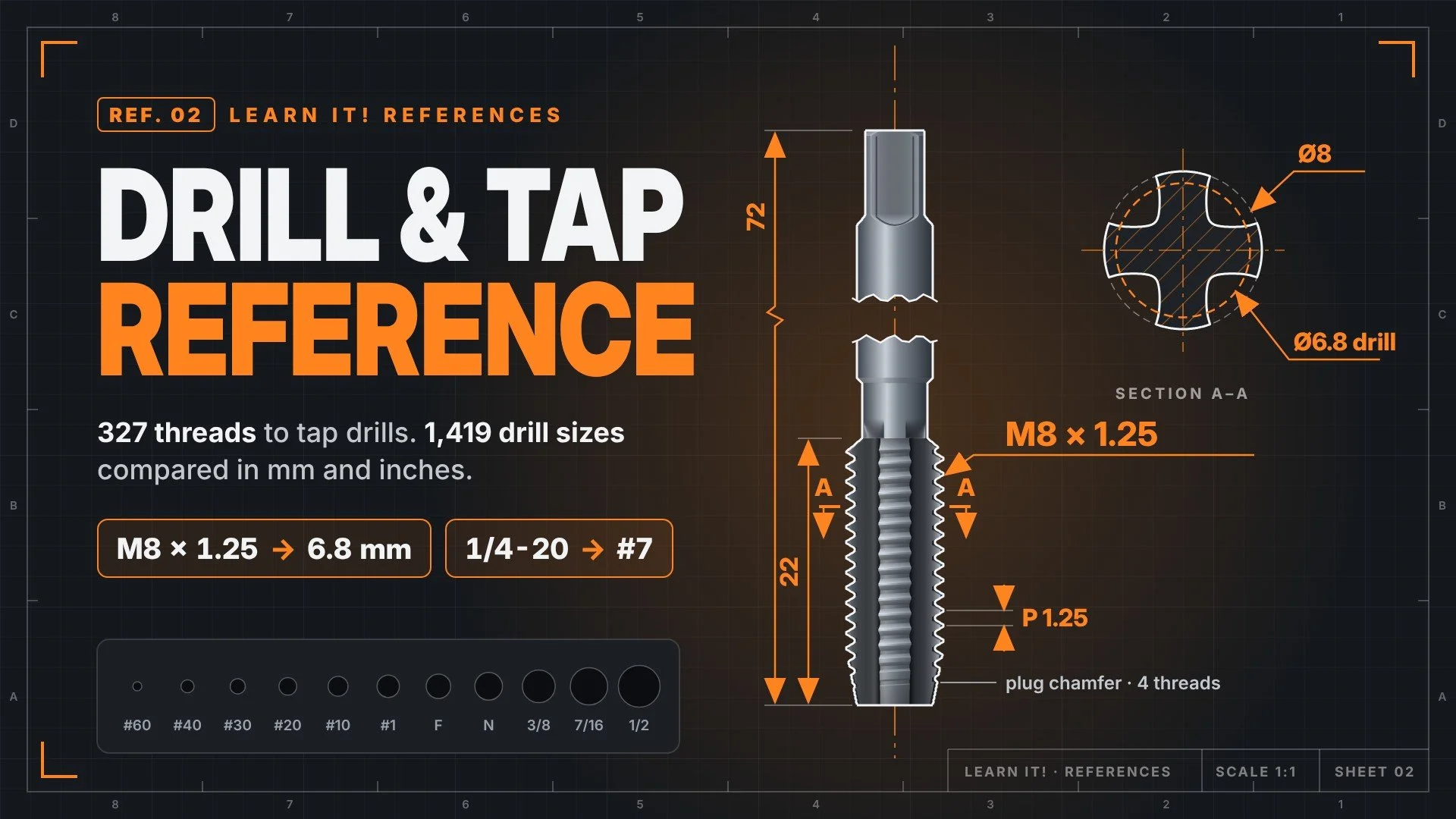
Drill & Tap Reference
Compare metric and inch drills, look up size designations, and calculate starting-hole estimates for cutting and forming taps.
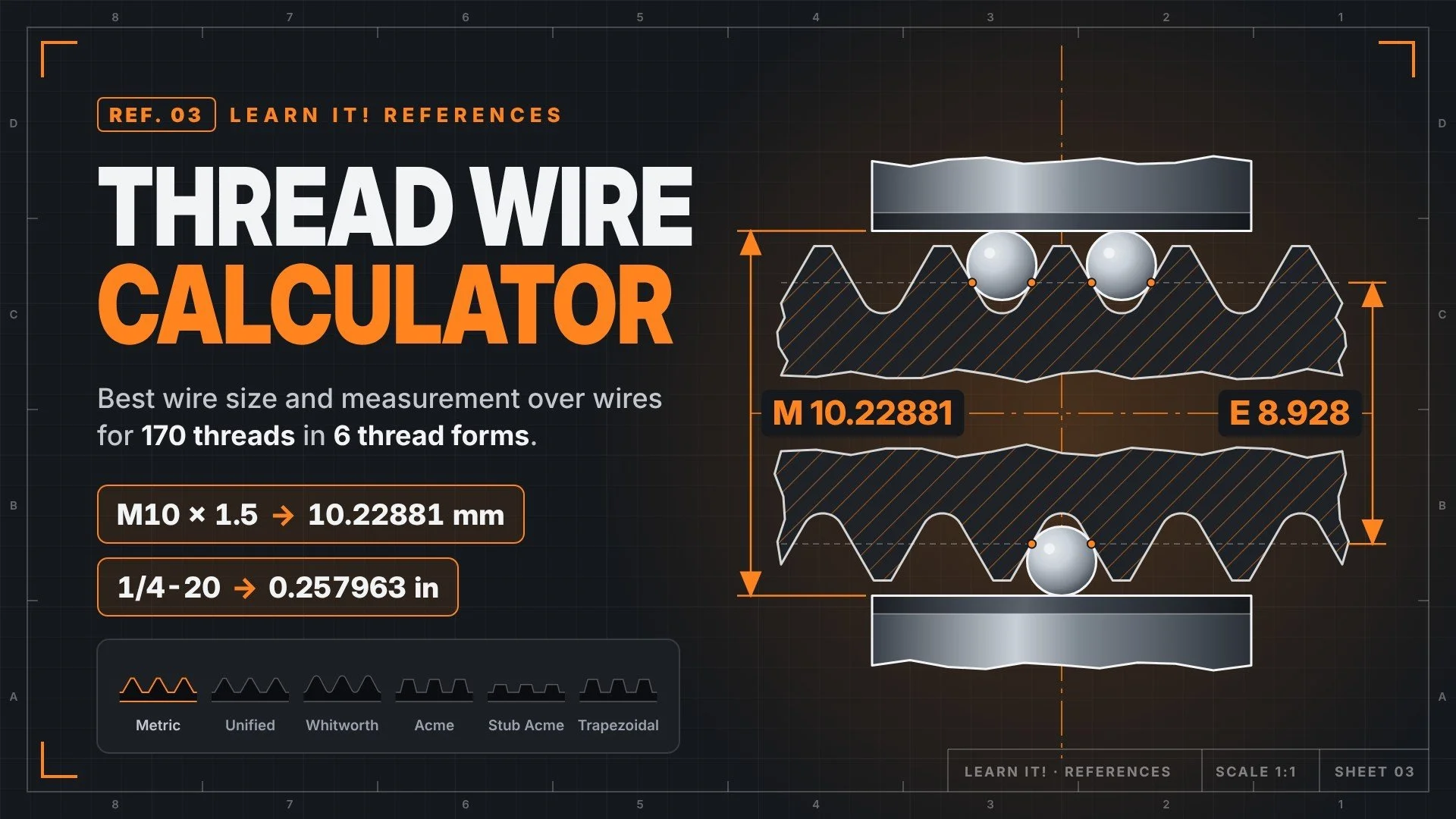
Thread Wire Calculator
Work between an over-wire measurement and an external thread’s pitch diameter, with interactive diagrams and calculations you can follow.
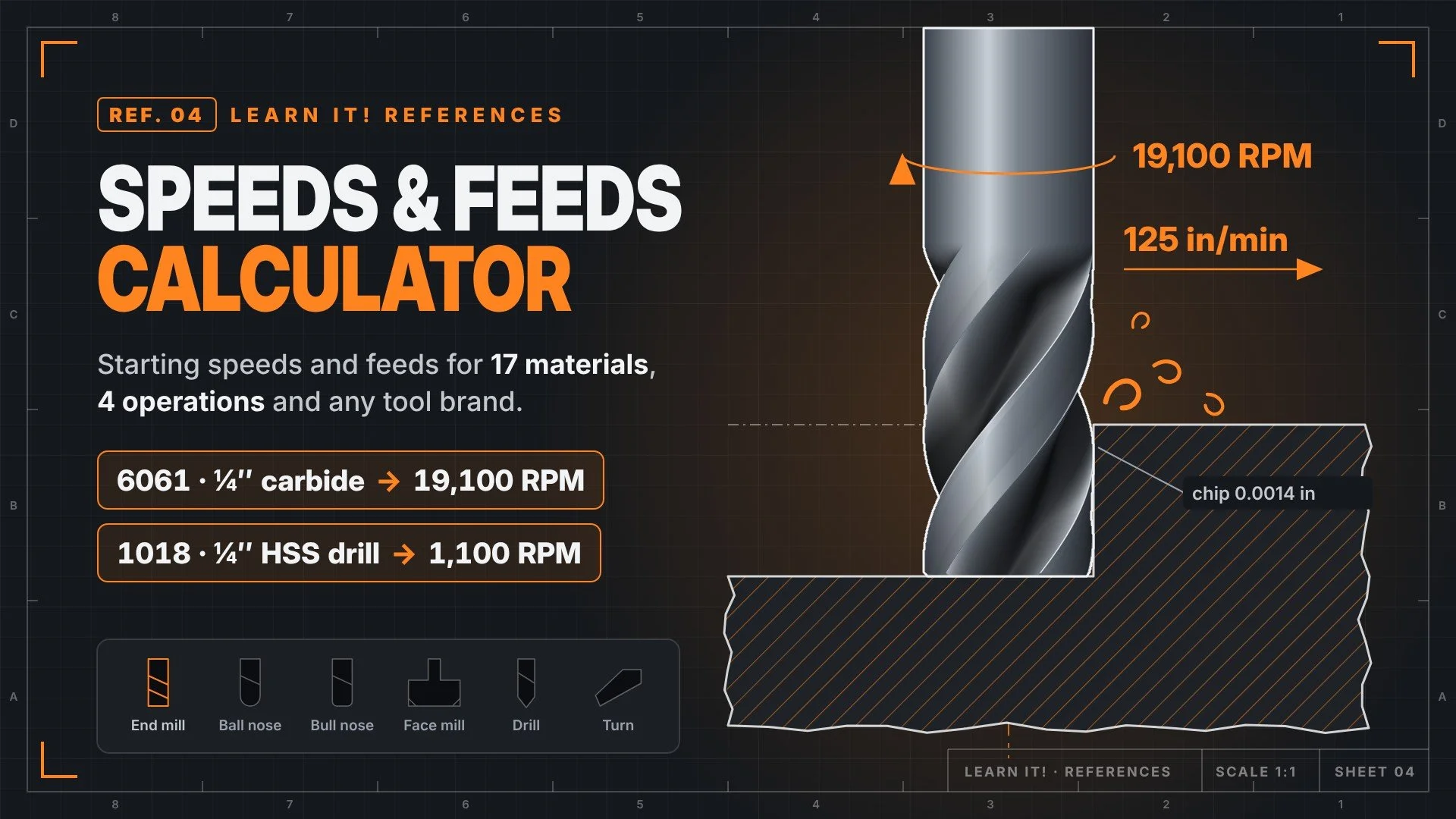
Speeds and Feeds Calculator
Find a starting spindle speed and feed rate for end mills, face mills, drills and lathe tools from any brand.
GO A LITTLE DEEPER
More than
the next video
Keep learning with Learn It! on Patreon. Explore member resources and support the tutorials that help bring your ideas to life.
01 Learn beyond the video
Explore technical drawings and downloadable learning resources.
02 Find your next challenge
Discover additional tutorials, project content and course options.
03 Help keep the learning going
Support an independent creator making practical Fusion education.
MADE FOR YOUR WORKSPACE
LESS Searching.
More doing.
Your Fusion quick reference, right under your mouse. Choose a mode to see the matching mat.
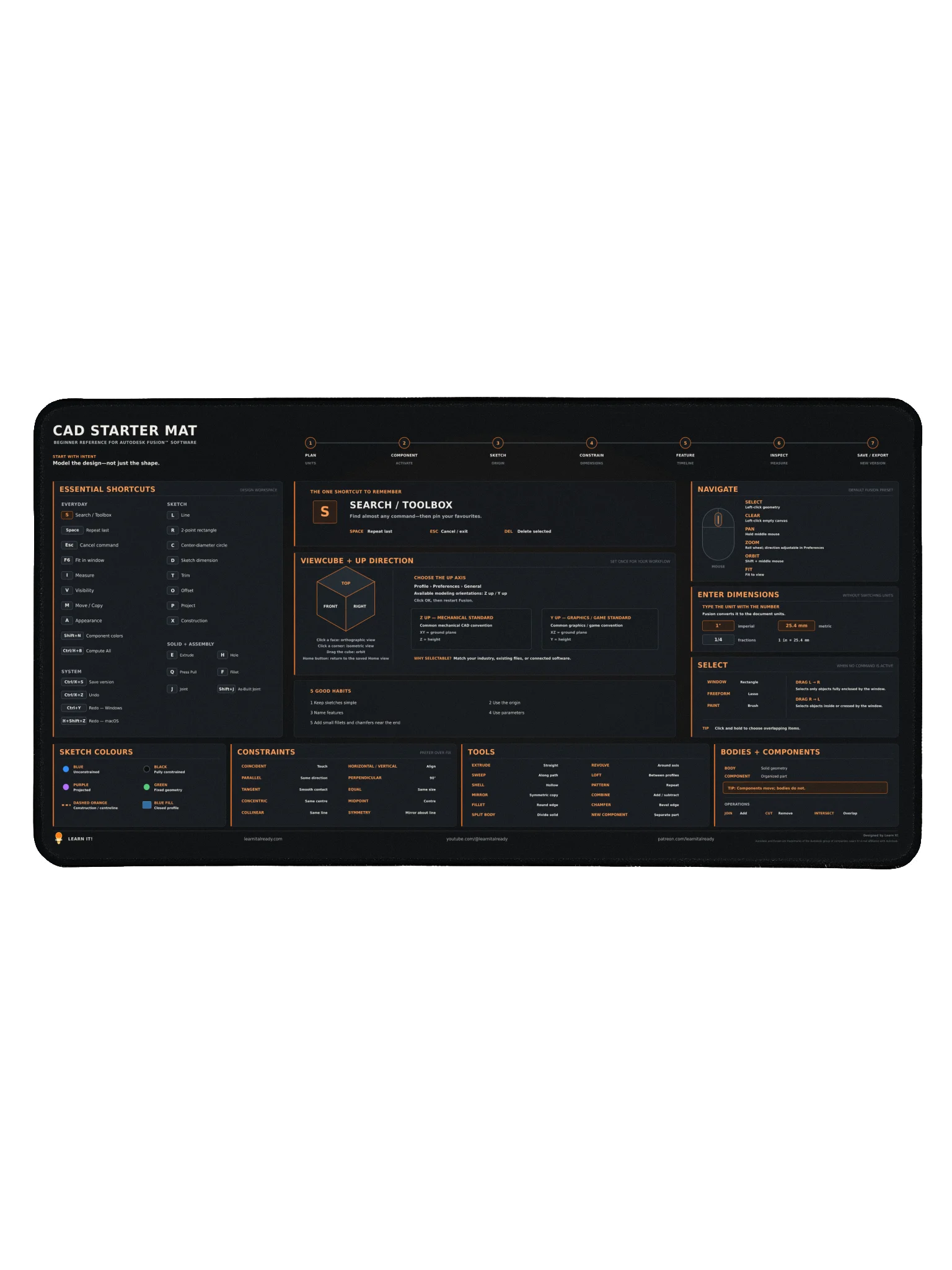
Night Mode
WORK WITH ME
A Project. A Question.
A Place to Start
Looking for private Fusion instruction, a consultation, or a business collaboration? Let’s talk about what you’re working on.